
Flappy VPN — Stay Connected
KAWASHARKComics
0.00.00 Reviews
- Version
- 1.1.0
- Installs
- 50.00K
- Age Rating
- Everyone
Screenshots
Our Review of Flappy VPN — Stay Connected
 Analysis by Appyee
Flappy VPN — Stay Connected is an Android app in the comics category, which is an unusual place for a tool with “VPN” in its name. I approached it with that mismatch in mind rather than assuming it would behave like a full privacy suite. The store summary presents it as something that keeps things simple, and that is the most useful way to understand the experience: this is a small, focused app from KAWASHARK that aims to make the idea of staying connected feel less complicated.
My first impression was shaped by what the app does not try to be. It does not arrive with the heavy presentation of a large security product, nor does it ask me to learn a long list of technical concepts before I can decide whether it suits me. That simplicity can be appealing when I want a quick tool for a straightforward situation, but it also means I would not automatically place it beside established VPN services designed for detailed privacy control, broad server selection, or advanced network management.
The central capability is simplicity. That sounds modest, but it changes how I judge the app. Instead of asking whether it replaces every conventional VPN alternative, I ask whether it gives an ordinary Android user a less intimidating way to approach a connection tool. In that narrower role, Flappy VPN has a clearer identity. It is free, rated for Everyone, and its current release is version 1.1.0, making it easy for a curious user to try without committing money first.
What “keeping things simple” means in everyday use
I find that “keeping things simple” is most useful when it helps me make a clear choice before I start browsing, rather than leaving me to guess what the connection is doing. I’d build a quick check into my routine: notice my current network, confirm the app’s state, then see whether an ordinary task still works as expected. That practical habit matters even more when I’m using a phone away from home.
A low-friction approach to connection tools
When I use a VPN-style app, the first practical question is usually not about advanced encryption terminology. I want to know whether I can understand the main screen, recognize the active state, and return to normal browsing without confusion. Flappy VPN’s appeal is tied to that basic flow. Its identity is built around reducing the number of decisions a casual user has to make.
That matters for people who have never used a VPN before. A complicated interface can make users hesitate, especially when they are unsure whether a connection is active or whether changing a setting will affect every app on the phone. A simpler design can lower that barrier. In my experience, a short path from opening the app to understanding its purpose is more valuable than a crowded dashboard full of controls I will never touch.
There is also a useful psychological difference between a focused utility and a large security platform. With a large platform, I may expect account management, multiple plans, extra protection tools, and a long settings menu. With this app, I would approach it as a lightweight option for a particular need. That expectation keeps the experience understandable, but it also prevents me from treating the app as a complete answer to every privacy or connectivity problem.
Why the category placement deserves attention
The comics category is an important detail because it changes how I interpret the product page. Someone browsing for comic readers or related entertainment apps may encounter Flappy VPN in a context where the name feels surprising. I would not download it expecting comic content. I would treat the category as a sign that the app’s presentation may not follow the conventions of mainstream network utilities.
That unusual positioning makes it especially important to read the app’s identity carefully before installing. The name suggests a connection-focused purpose, while the category suggests something different. For me, that is not automatically a reason to reject it, but it is a reason to keep expectations precise. If I were recommending it to a friend, I would say: try it because you want a simple connection tool, not because the category promises a reading experience.
This distinction also helps avoid a common mistake. Users sometimes assume that any app containing “VPN” in its name offers the same depth of protection as a mature privacy service. I would not make that assumption here. The practical strength of Flappy VPN is the approachable concept, not a demonstrated collection of enterprise-style controls.
How I would test it before relying on it
I would begin with a low-risk test rather than making it part of my daily security routine immediately. After installing it, I would open the app when I have a stable connection, look for the primary action, and check whether the interface clearly communicates its current status. Then I would visit a familiar website or use a nonessential app to see whether my normal connection still behaves as expected.
That workflow gives me useful information without putting important tasks at risk. I would avoid testing it for the first time before a video meeting, a time-sensitive payment, or travel navigation. A simple app can still influence how the phone reaches the internet, so the sensible approach is to learn its behavior while I have time to switch back if needed.
I would also close and reopen the app during testing. This is a practical check for anyone who wants consistent access rather than a one-time experiment. If the status is easy to understand after reopening, that supports the app’s simplicity claim. If I have to reconstruct what happened each time, the central advantage becomes less convincing.
The best everyday scenario
The strongest use case for me is a casual, short session when I want a simple connection option and do not need a large collection of choices. Imagine sitting in a café and wanting to check messages, read a few pages, or browse ordinary content while connected to public Wi-Fi. I would open Flappy VPN before starting, confirm the visible state, use the phone normally, and then turn the connection off when I leave.
The value in that scenario is not that the app magically solves every public-network risk. The value is that a user who might otherwise ignore connection protection has a tool that feels approachable enough to try. A complicated product can be technically impressive and still be unused. A simpler one can be more useful if it helps a cautious but nontechnical person take a first step.
There is a second scenario where the same quality helps: a family member who wants a straightforward app and does not want to manage a subscription, compare server lists, or learn specialist vocabulary. Because the app is free and rated for Everyone, it is easier to consider as a low-commitment experiment. I would still guide that person through the first use rather than assuming the age rating explains network behavior.
For a work trip, however, my recommendation would be more careful. If I needed dependable access for business systems, detailed location choices, or a clearly documented privacy workflow, I would choose a conventional VPN service with those specific strengths. Flappy VPN makes more sense for uncomplicated personal use than for situations where connectivity is mission-critical.
What the simple approach does well
The clearest benefit is reduced decision fatigue. Many connection tools make me choose a location, protocol, startup behavior, or protection mode before I have even understood the basic purpose. A simpler app can let me focus on one question: do I want to use its connection right now? That is a meaningful advantage for beginners and for people who only need occasional access.
The free price also changes the trial experience. I can evaluate whether the interface fits my habits without first deciding that the app deserves a recurring expense. For someone who is comparing several options, that makes Flappy VPN an easy candidate for a short test. The important point is to judge it by the quality of that focused experience rather than by features it was never designed to emphasize.
Its modest audience is another useful signal. The app has passed 10K+ installs, which suggests that it is not an entirely unknown experiment, while still placing it far from the scale of the biggest connection services. I read that as a reason to remain practical: there is enough adoption to make trying it feel reasonable, but not enough to assume that it has the same maturity, support reach, or ecosystem as a long-established alternative.
Where I would be cautious
The largest limitation is the same quality that makes the app approachable. Simplicity can mean fewer controls, fewer explanations, and fewer ways to adapt the connection to a specialized situation. If I need to select among many regions, fine-tune behavior for different networks, or inspect detailed connection information, I would probably feel restricted.
I would also avoid interpreting the name alone as a guarantee of privacy. A VPN label can describe a connection function, but responsible use still requires attention to the app’s own explanations and the kind of trust I am placing in it. I would not use any unfamiliar connection tool for sensitive activity until I understood how it behaves and whether it fits my expectations.
Another trade-off is troubleshooting. With a larger service, a problem may be easier to diagnose because the app exposes more status information or provides a more developed support path. A minimal interface is pleasant when everything works, but it can leave me with fewer clues when a page loads slowly, an app behaves differently, or the connection needs to be reset.
That does not make Flappy VPN a poor choice. It simply defines the boundary of the recommendation. I see it as a focused option for users who value an uncomplicated starting point. I do not see it as the obvious choice for professionals, frequent travelers, advanced privacy enthusiasts, or anyone who needs a detailed network toolkit.
How it compares with usual VPN alternatives
Compared with established VPN apps, Flappy VPN’s main difference is not a long list of visible extras; it is the smaller mental load. Conventional alternatives often compete through extensive settings, multiple connection locations, account features, and broader privacy-oriented tools. Those products are better when I know exactly what I need and want control over the details.
That control comes with a cost. More options can make setup slower and can create uncertainty for new users. If I am only trying to understand the basic idea of using a protected connection, a focused app may feel friendlier. The trade-off is that I may outgrow it once my needs become more specific.
Compared with simply using the phone’s normal connection, Flappy VPN introduces an extra step and another app to manage. That step is worthwhile only if it addresses a real concern for me. I would not leave it active automatically just because the word “VPN” sounds reassuring. I would use it deliberately, observe how it affects my normal activities, and turn it off when I no longer need it.
Compared with browser-only privacy tools, a VPN-style app can be more relevant when I want the connection choice to matter beyond one browser session. Still, I would not assume that every app on the device behaves identically without testing. The practical question is always how the app operates on my phone, not what the label implies in the abstract.
Three practical habits that improve the experience
My first tip is to create a simple before-and-after routine. Before using the app, note whether the phone is on home Wi-Fi, public Wi-Fi, or mobile data, and observe one ordinary task such as opening a familiar site. After enabling the connection, repeat that task. This does not prove every technical property, but it helps me notice whether the app fits my normal routine and whether anything feels unexpectedly slow or confusing.
My second tip is to keep the first test separate from sensitive accounts. I would begin with general browsing or nonessential messaging, not banking, work administration, or account recovery. This gives me room to learn the app’s behavior without turning a first impression into a high-stakes experiment.
My third tip is to treat the visible connection state as part of the workflow. I would check it before using a public network and again before disconnecting. That small habit prevents the opposite mistake: assuming the app is active when it is not, or leaving a connection running when I intended to return to the regular network.
A fourth useful habit is to compare the app with my actual needs every few weeks. If I only use a simple connection tool occasionally, its light approach may remain suitable. If I start needing location choices, advanced controls, or dependable support, that is the point to move to a more established alternative rather than forcing this app to do a different job.
Who will gain the most from it
I think Flappy VPN is most appealing to Android users who are curious about VPN-style connections but dislike complicated setup. It also suits people who want a free trial experience before considering a more feature-heavy service. The Everyone rating makes it broadly approachable from an age-label perspective, though I would still explain the app’s purpose to younger or less technical users instead of handing it over without context.
It may also help someone who values a clean, limited workflow more than a long specification sheet. If the goal is to open one app, understand the basic state, use the phone, and finish, the focused design is a genuine advantage. The app’s release on Jul 29, 2026 and its version 1.1.0 label place it in a relatively early stage of its product life from my perspective, so I would keep my expectations measured while evaluating how well it fits over time.
I would skip it if my decision depends on advanced network customization, a broad choice of connection locations, detailed diagnostics, or a mature professional support experience. I would also skip it if I am looking for comics content, because the app’s category does not match the connection-focused purpose suggested by its name. In that case, the mismatch alone makes it the wrong download for the job.
My recommendation after using it
My recommendation is conditional but positive: Flappy VPN is worth trying when the priority is a simple, free way to explore a VPN-style connection on Android. I like that its central idea is easy to understand, and I can see why that would appeal to someone who feels overwhelmed by larger alternatives. The app is most convincing when used deliberately for ordinary, low-pressure situations.
I would not describe it as a universal replacement for established VPN services. Its simplicity is both its strongest reason to install it and its clearest boundary. Users who need depth should look elsewhere, while beginners may appreciate having fewer decisions in front of them.
In the end, I would recommend installing it as a measured trial, not as an automatic promise of complete online protection. Test the main workflow, watch how it affects everyday browsing, and decide whether the limited approach matches your habits. For the right person, Flappy VPN makes a potentially intimidating connection tool feel approachable; for someone seeking a full privacy platform, a more specialized alternative will be the better fit.
Verdict
Strengths of Flappy VPN — Stay Connected
- Simple interface makes connecting to a VPN quick and beginner-friendly.
- Useful for securing connections on public Wi-Fi networks.
- Can help access services when local network restrictions apply.
- Lightweight design should have limited impact on device storage.
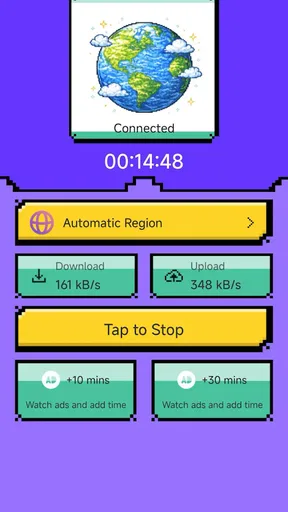
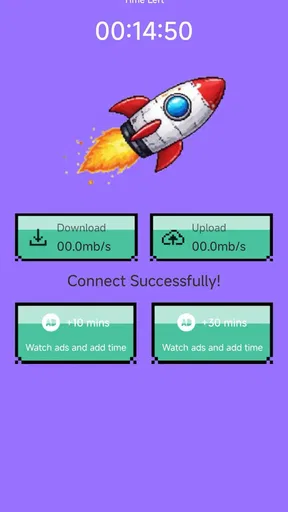
- Connection status is easy to identify at a glance.
Limitations of Flappy VPN — Stay Connected
- Free VPN access may include ads or usage limitations.
- Connection speeds can vary depending on server availability.
- Privacy details should be checked carefully before trusting the service.
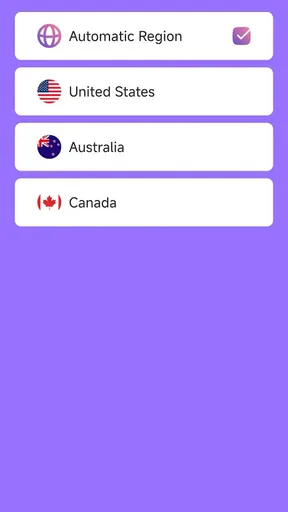
- Some servers may be unavailable or offer limited location choices.
- VPN use can increase battery consumption during long sessions.
Similar Picks in This Category
View All
WEBTOON: Manga, Comics, Manhwa
NAVER WEBTOON4.6

MangaToon: Comic & Manga
MangaToon4.3

네이버 웹툰 - Naver Webtoon
NAVER WEBTOON4.3

Tapas – Comics and Novels
Tapas Entertainment Inc.4.2

Lezhin Comics - Daily Releases
LEZHIN ENTERTAINMENT3.3

WebComics - Webtoon & Manga
WEBCOMICS HOLDINGS HK LIMITED4.4
Frequently Asked Questions
What is Flappy VPN — Stay Connected, and how does it work?
Flappy VPN — Stay Connected is a virtual private network app designed to route your internet traffic through a VPN server rather than connecting directly to websites and online services. After opening the app, users can typically choose an available server and tap a connect button. The app may help protect data on public Wi-Fi and can improve privacy, although it cannot make you completely anonymous online.
Is Flappy VPN — Stay Connected free to use?
The app may offer free VPN access, but availability, server choices, connection speeds, advertisements, and usage limits can depend on the current version and the developer’s business model. Some features may require in-app purchases or a subscription. Before connecting regularly, check the app’s store listing and subscription screen carefully, including renewal terms, trial conditions, and cancellation instructions.
Does Flappy VPN — Stay Connected keep my online activity private?
A VPN can hide your internet traffic from certain local observers, such as other users on the same public network or your internet provider, but the VPN provider may still be able to process connection information. Privacy depends on the company’s logging practices, permissions, encryption implementation, and policy. Review the official privacy policy before using the app for sensitive browsing, banking, or personal communications.
Can I use Flappy VPN — Stay Connected to access blocked or restricted content?
Connecting through a VPN server can sometimes change the apparent location of your connection, which may help with regional access to certain websites or services. However, results are not guaranteed because platforms can detect and block VPN addresses, and some content providers prohibit VPN use in their terms. The app should not be treated as a guaranteed way to bypass every restriction.
Will Flappy VPN — Stay Connected slow down my internet or drain my battery?
VPN performance can vary according to the selected server, distance, network congestion, encryption overhead, and the quality of your mobile or Wi-Fi connection. You may notice slower downloads, higher latency, or increased battery use while the VPN remains active. For better performance, choose a nearby server when available, disconnect when the protection is unnecessary, and monitor background activity.
